Motivation
Sometimes the flow we need is too difficult to reproduce from the actual backend.
Simulating State Changes
For instance, on a design review, when I’m asked to show what
happens when API recovers from an error, I cycle on and off the
autogenerated 500 response.
Similarly, when short-polling APIs, say, a slow to generate backend
resource. I start with a 404 or204
(No Content) mock, and then I switch it over to a 200.
Simulating Third-Party APIs
Backend developers can use Mockaton for triggering complex flows and errors on external APIs as well.
Generating Dynamic Responses
Sometimes I need to mock out filesystem resources I’m not allowed to
see (for instance, sensitive PII documents). In those cases, I put a bunch of documents
on config.staticDir and I read that file structure with a Functional Mock and generate links to them.
Functional mocks can pretty much do anything you can do with a normal backend request handler. For example, you can:
- have an in-memory database
- read from disk
- parse the query string, e.g., for pagination
Seeing all Permutations
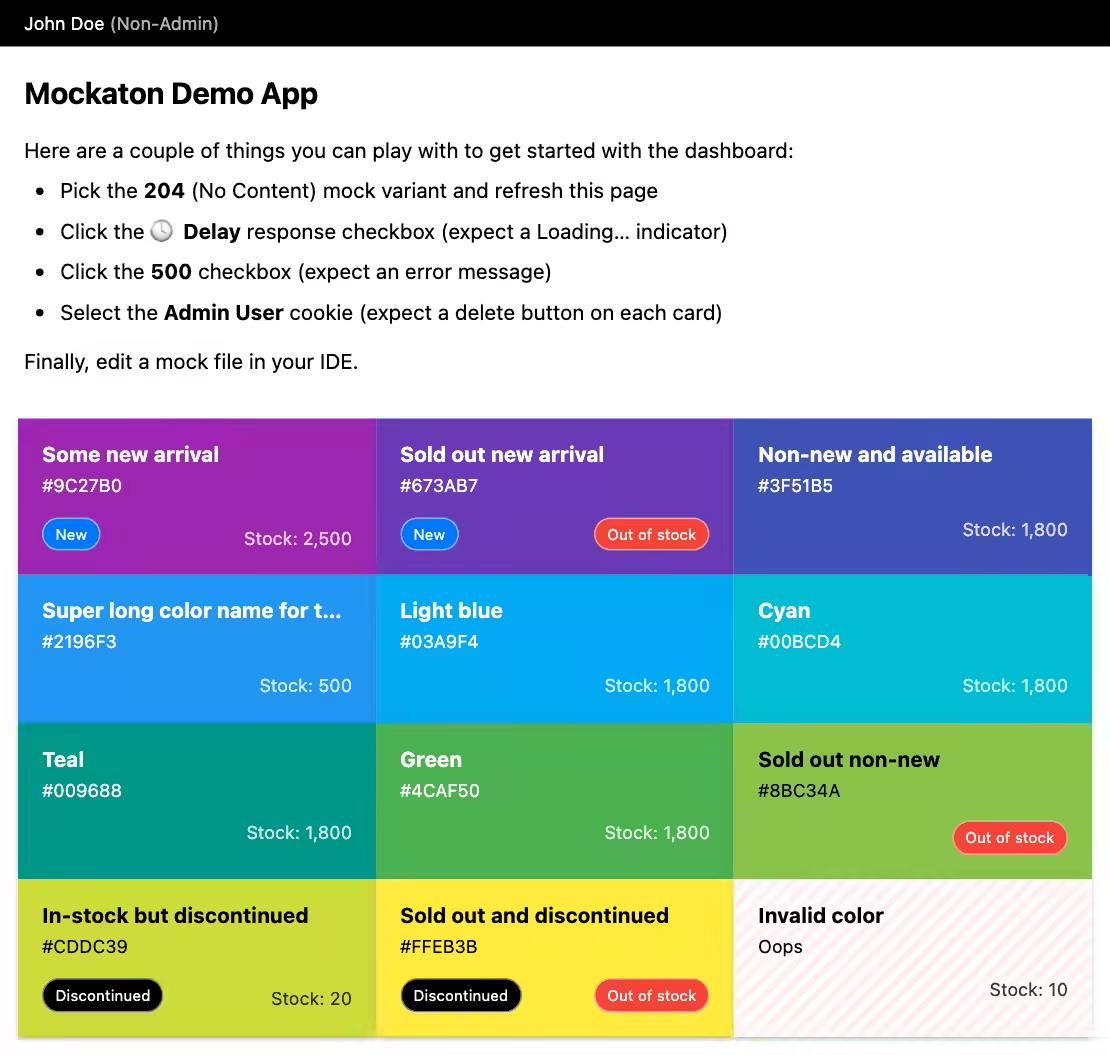
Comprehensive states help to spot inadvertent regressions. See the color cards example below. Also, these deterministic states simplify setting up screenshot tests (see pixaton-tests/ in the repo).
Working Around Unstable Dev Backends
This was my main motivation, as a frontend developer I was wasting too much time syncing the database and spinning up dev infrastructure. Sometimes I was blocked by its instability.
Also, sometimes I was blocked by waiting for backend APIs to be ready. So having a real HTTP server helped me trust the integration ahead of time.
Time Travel
I commit the mocks to the repo, so I don’t have to downgrade backends when checking out long-lived branches or bisecting bugs.
Standalone Demo Server
You can deploy a Mockaton instance with your built SPA.
For that, put the built assets in config.staticDir.
The repo includes a demo which builds the frontend app and runs a docker container with Mockaton as backend.
git clone https://github.com/ericfortis/mockaton.git --depth 1
cd mockaton/demo-app-vite
make run-standalone-demoDashboard: http://localhost:4040/mockaton